HTML Compressor & Minifier Tool


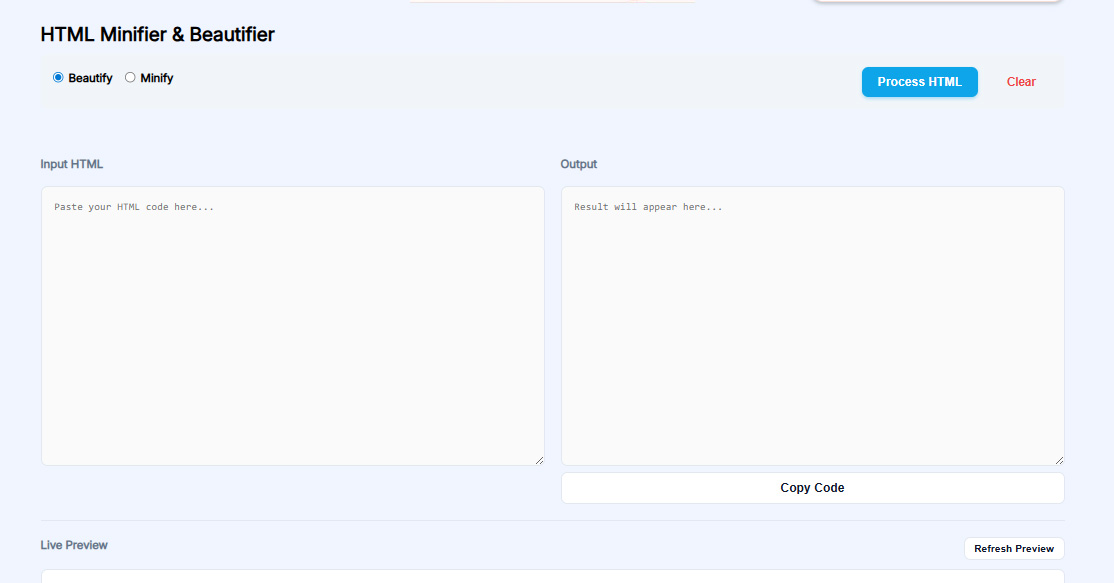

Link to open source: https://github.com/toolsinfree/html-compressor
Link to Live Project: https://toolsinfree.com/html-compressor/
Boost your website's performance by minimizing your HTML code. Our easy-to-use tool removes comments, whitespace, and unnecessary characters, delivering optimized, fast-loading HTML without compromising functionality.
What Is HTML Compression?
HTML compression is the process of reducing the file size of an HTML document by removing unnecessary characters, comments, whitespace, line breaks, duplicate attributes, redundant codes, optional tags, and other components that do not affect how the webpage renders in browsers.
Common elements removed during compression:
-
Extra spaces and blank lines
-
HTML comments like
<!-- notes --> -
Indentation and formatting
-
Repeated attributes
-
Optional closing tags where HTML rules allow
-
Unnecessary quotes around attribute values
-
Unused inline script spaces
-
Redundant inline CSS spaces
The goal is to produce smaller, faster-loading HTML that works exactly the same visually.
Why HTML Compression Is Critical for Modern Websites
1. Improves Page Speed
HTML is the first file browsers fetch. The smaller the file:
-
The faster the Time To First Byte (TTFB)
-
The faster the DOM loads
-
The quicker search engine bots can crawl your page
Reducing HTML size directly improves:
-
Largest Contentful Paint (LCP)
-
First Contentful Paint (FCP)
-
Interaction-to-Next-Paint (INP)
-
First Input Delay (FID)
2. Boosts SEO
Search engines give higher ranking preference to fast websites. HTML compression contributes directly to:
-
Better crawl budget management
-
Fewer resources required to load content
-
More pages crawled in less time
-
Improved mobile performance (important for Google’s mobile-first indexing)
3. Enhances User Experience
Smaller HTML = faster rendering, especially for:
-
Mobile users on slower networks
-
Low-power devices
-
High-traffic websites
-
Geographically distributed audiences
4. Reduces Bandwidth and Hosting Cost
If your site has thousands of hits daily, even 5–30 KB savings per page can result in:
-
Reduced bandwidth consumption
-
Lower hosting costs
-
More efficient CDN caching
How ToolsInFree HTML Compressor Works
Our HTML compressor is built with a high-performance engine that analyzes markup and removes unnecessary elements while ensuring the page remains semantically correct.
The compression engine performs:
-
Whitespace minimization
-
Comment stripping
-
Safe attribute optimization
-
Inline script tightening
-
DOM-safe trimming
-
Email template–safe mode
-
Preservation of accessibility elements (ARIA, roles, alt attributes, captions)
-
SEO-critical tags untouched (canonical, meta, structured data, OG tags)
Compression Modes Available
ToolsInFree offers three primary compression levels:
Safe Mode (Recommended)
-
Maintains all required indentation for sensitive scripts
-
Ensures email templates remain valid
-
Preserves accessibility markup
-
Guarantees no functional loss
Standard Mode
-
Removes whitespace, comments, redundant attributes
-
Ideal for most websites
-
Perfect balance between size reduction and safety
Aggressive Mode
-
Maximum compression
-
Removes optional HTML tags
-
Removes optional quotes
-
Collapses inline scripts aggressively
-
Ideal for static sites, landing pages, frameworks
Benefits of Using ToolsInFree HTML Compressor
✔ No Server Upload — 100% Client-Side
Your code never leaves your device. All compression takes place inside your browser securely.
✔ Enterprise-grade compression accuracy
Used by advanced developers, SEO experts, and agencies.
✔ One-click download
Export compressed HTML as:
-
.html -
.txt -
.zip
✔ Free forever
No login, no limits.
✔ Accessible & SEO-friendly
We protect markup needed for:
-
WCAG compliance
-
ARIA attributes
-
Screen readers
-
Schema.org
-
SEO signals
✔ Supports large HTML files
Even files with:
-
1,000+ lines
-
Inline JavaScript
-
Inline CSS
-
AMP HTML
-
Email templates
Step-by-Step Guide: How to Use ToolsInFree HTML Compressor
Follow this simple guide to compress your HTML within seconds.
Step 1: Paste or Upload HTML
Paste your code into the editor or upload your .html file.
Step 2: Choose Compression Mode
Pick from Safe, Standard, or Aggressive.
Step 3: Preview Output
Check the compressed preview to ensure everything is correct.
Step 4: Download or Copy
Click “Copy” to clipboard or download the minified file.
Step 5: Deploy
Upload to server, integrate with your website, or use in your build pipeline.
Real-World Use Cases of HTML Compression
1. Static Websites
Platforms like:
-
Hugo
-
Jekyll
-
Gatsby
-
Next.js static export
-
SvelteKit
All benefit from pre-compressed builds.
2. Email Templates
Email providers have strict size limits. Minified HTML ensures:
-
Faster delivery
-
Fewer spam triggers
-
Higher open rates
3. Landing Pages / Sales Funnels
Marketing funnels require fast load speed:
-
Google Ads landing pages
-
Facebook Ads landing pages
-
Affiliate websites
Fast pages = higher conversions.
4. WordPress Custom Theme Development
When building custom themes or editing templates, compressing HTML:
-
Reduces TTFB
-
Improves theme performance
-
Makes final builds production-ready
5. eCommerce Websites
Platforms like Shopify, WooCommerce, Magento benefit because:
-
Large HTML templates
-
Many dynamic elements
-
Complex product pages
Even small optimizations matter.
Developer Tips: Best Practices for HTML Minification
Here are expert-level practices:
✔ Always keep the original source formatted
Minification is for production—not development.
✔ Combine HTML compression with:
-
GZIP / Brotli
-
CSS & JS minification
-
Image compression
-
CDN caching
-
Resource preloading
-
Render-blocking fix strategies
✔ Use Safe Mode for:
-
Emails
-
Inline JS-heavy pages
-
Pages with templating logic
✔ Don’t minify during debugging
Minified code makes debugging difficult.
✔ Automate where possible
Use ToolsInFree + CI pipeline to automate builds.
How HTML Compression Improves SEO (E-E-A-T Focus)
Google prioritizes:
-
Expertise
-
Experience
-
Authoritativeness
-
Trustworthiness
Compressed HTML contributes indirectly to E-E-A-T by improving:
-
Page performance
-
Crawl efficiency
-
User experience
-
Mobile loading
-
Core Web Vitals
Google Search Signals Positively Influenced
-
Page Speed Signal
HTML compression reduces server processing time. -
Crawl Budget Optimization
Smaller HTML = faster crawls. -
Bounce Rate Reduction
Fast-loading pages reduce user drop-offs. -
Mobile-First Indexing
Minified HTML improves mobile score. -
Technical SEO Health
Google’s “Quality Score” for speed improves.
Common Mistakes Developers Make (and How to Avoid Them)
Mistake 1: Compressing broken HTML
Fix HTML errors first.
Mistake 2: Removing important comments
Some comments are required for:
-
Conditional HTML
-
Templating engines
-
License preservation
Mistake 3: Aggressive mode for dynamic websites
Avoid for:
-
Vue templates
-
React DOM server output
-
Angular SSR
Mistake 4: Minifying inline scripts too aggressively
Whitespace-sensitive JS can break.
Mistake 5: Minifying HTML emails incorrectly
Always use Safe Mode.
Troubleshooting: Why Might Your HTML Break After Minification?
1. Inline JavaScript depends on whitespace
Solution: Use Safe Mode.
2. Missing required closing tags
Some sites rely on optional closing tags.
3. Conditional comments removed
Solution: Disable comment removal for old IE logic.
4. Inline CSS uses custom formatting
Keep formatting-sensitive CSS intact.
Advanced Developer Guide: Understanding How HTML Compression Works
Tokenization
The compressor reads characters and converts them into tokens representing:
-
Tags
-
Attributes
-
Values
-
Text nodes
-
Script blocks
AST Analysis
The engine builds a DOM-like tree (Abstract Syntax Tree) and ensures structural correctness.
Logic Evaluation
HTML rules are applied from W3C standards for:
-
Optional tags
-
Attribute minimization
-
Script blocks
-
Style blocks
Output Reconstruction
A new HTML file is generated following compression rules.


