KeyboardTester: browser keyboard input checks
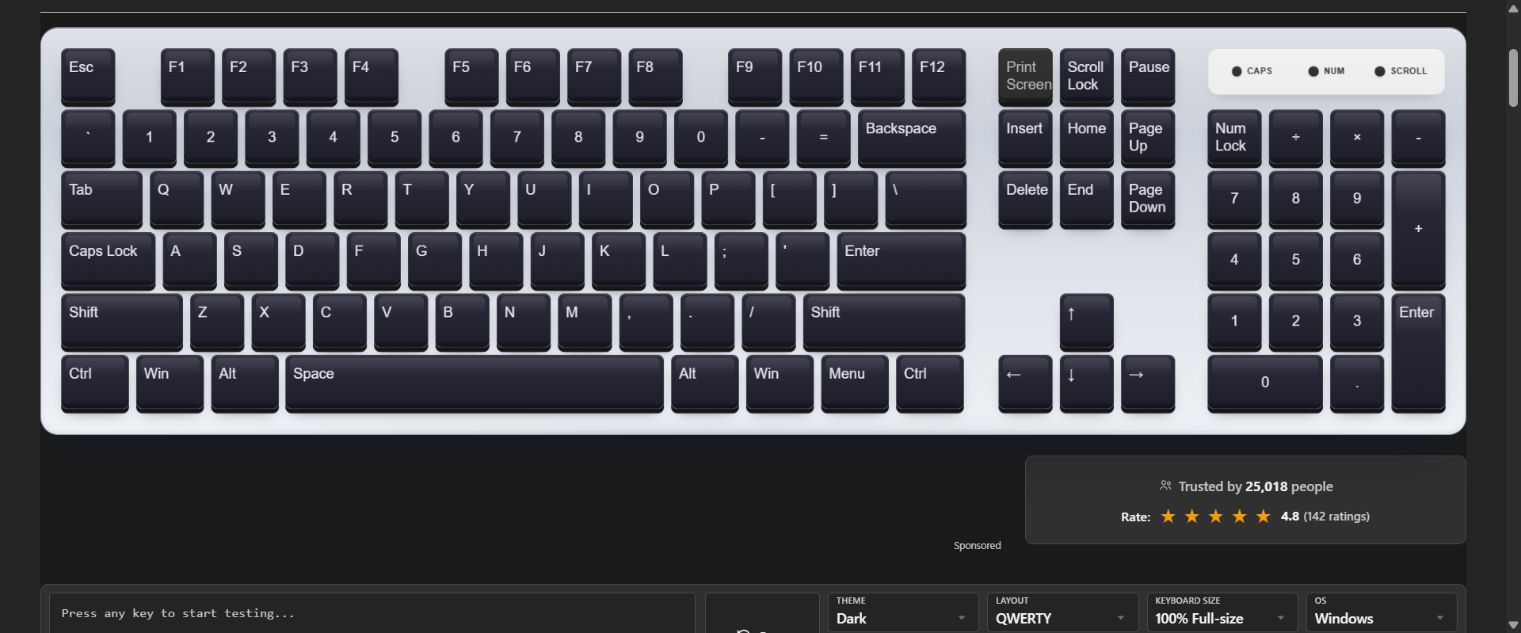
Link to open source: https://github.com/nasirazizawan009/keyboardtester-click
Link to Live Project: https://keyboardtester.click/
A free browser tool for inspecting key presses and combinations before investigating an application or device problem.
The problem
A report such as “my shortcut does not work” can describe several different situations. The browser may receive a different key than expected, a modifier can remain active in application state, or the operating system can intercept the shortcut before the page sees it. One visible browser check gives a useful starting observation before changing drivers or assuming that a physical switch has failed.
What the project does
KeyboardTester.click provides an on-screen keyboard that responds to the keyboard events received by the page. A user can press individual keys, try a combination and observe what the browser delivers. The site includes separate input and display utilities, with localized interfaces including right-to-left layouts. The keyboard page remains the starting point for this Build.
The implementation uses PHP for shared site rendering and vanilla JavaScript for browser interactions. The public repository is a project reference; it should not be treated as a guarantee that every deployed file matches a particular repository snapshot.
A repeatable preflight
- Open the keyboard tester in a supported desktop browser. Note the operating system, browser, keyboard layout and whether an external keyboard is connected.
- Press a single key, release it and inspect the displayed response. Repeat with another key rather than drawing a conclusion from one observation.
- Try the specific modifier combination involved in the report. Record which parts reach the page. Some browser or operating-system shortcuts are reserved and cannot be observed fully by a normal webpage.
- Move focus away from the page, return and repeat the same sequence. Compare the browser observation with what the target application reports.
- If the issue remains, reproduce it in a second suitable application or browser. Preserve the exact sequence and conditions when handing the report to support.
What the result means
These are browser event observations. They do not measure electrical switch health, USB polling, firmware latency or every hardware rollover limit. A shortcut that never reaches a webpage is not proof of a damaged key. On-screen labels and physical key positions can also differ across layouts. The useful output is a clear reproduction record, not a guaranteed hardware diagnosis or repair claim.
About this Build
I operate KeyboardTester.click and SoundTesters.com. This Build describes the existing KeyboardTester project and a practical input-check workflow; it is not a new hardware experiment. The project description was prepared with AI assistance. No account creation, private data, paid service or browser extension is needed to open the linked keyboard page.
Screenshot: the KeyboardTester.click keyboard interface, captured November 10, 2026. It illustrates the interface and does not establish a physical keyboard test result.
