Music Player App
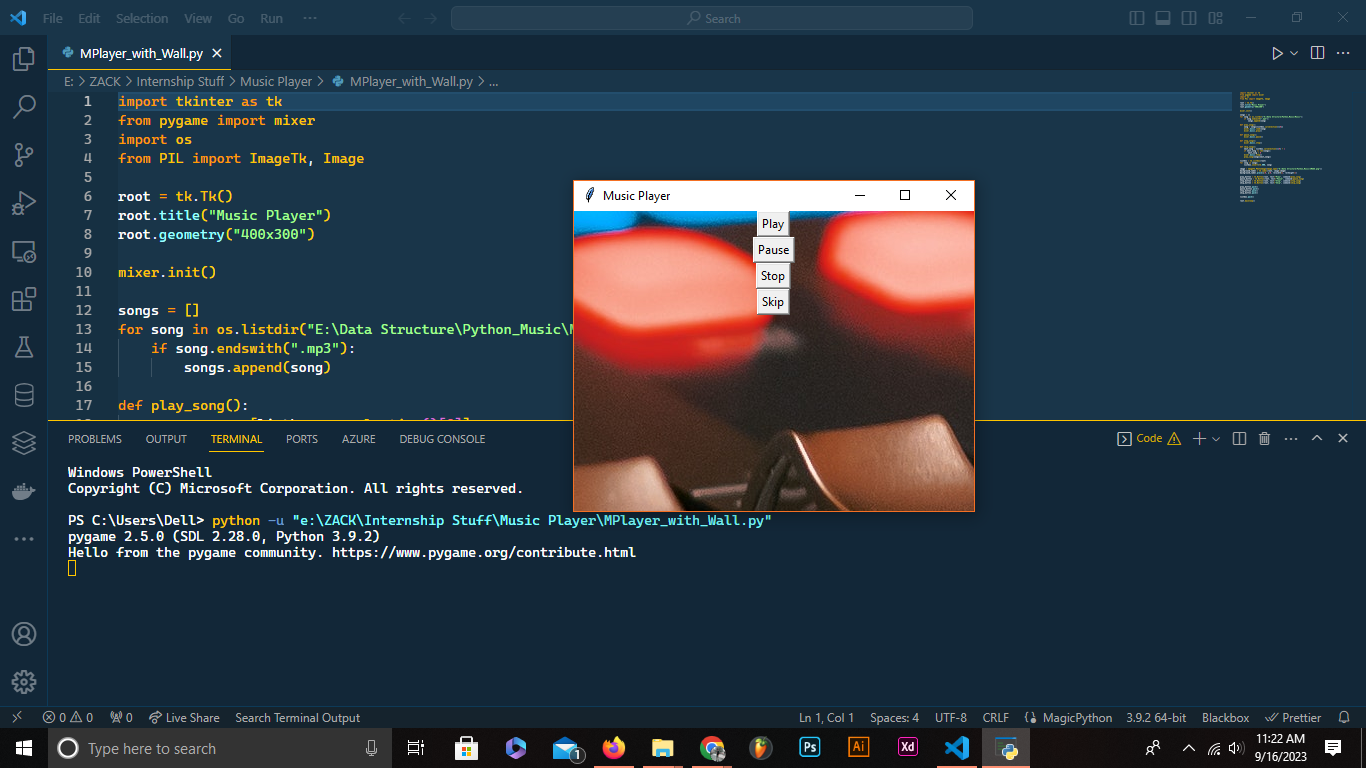
Link to open source: https://github.com/SALEX0R/Music_Player_Application.git
Music_Player_Application
This Python-based Music Player Application allows users to play, pause, stop, and skip through a list of MP3 songs. It uses the Pygame library for audio playback and Tkinter for the graphical user interface.
Project Structure: music-player/ │ README.md │ music_player.py │ IMAGE.png │ └───music/ │ song1.mp3 │ song2.mp3 │ ...
Installation and Prerequisites
Before running the Music Player Application, ensure you have the following prerequisites:
- Python (3.x recommended)
- Pygame library
You can install the Pygame library using pip:
pip install pygame
Installation and Prerequisites
Before running the Music Player Application, ensure you have the following prerequisites:
- Python (3.x recommended)
- Pygame library
You can install the Pygame library using pip:
pip install pygame
Usage
- Play: Click the "Play" button to start playing the selected song from the playlist.
- Pause: Click the "Pause" button to pause the currently playing song.
- Stop: Click the "Stop" button to stop the currently playing song.
- Skip: Click the "Skip" button to play the next song in the playlist.
To add songs to the playlist, place your MP3 files in the music directory within the project folder.

