Polaris AI - Intelligent Compliance Automation & Risk Management
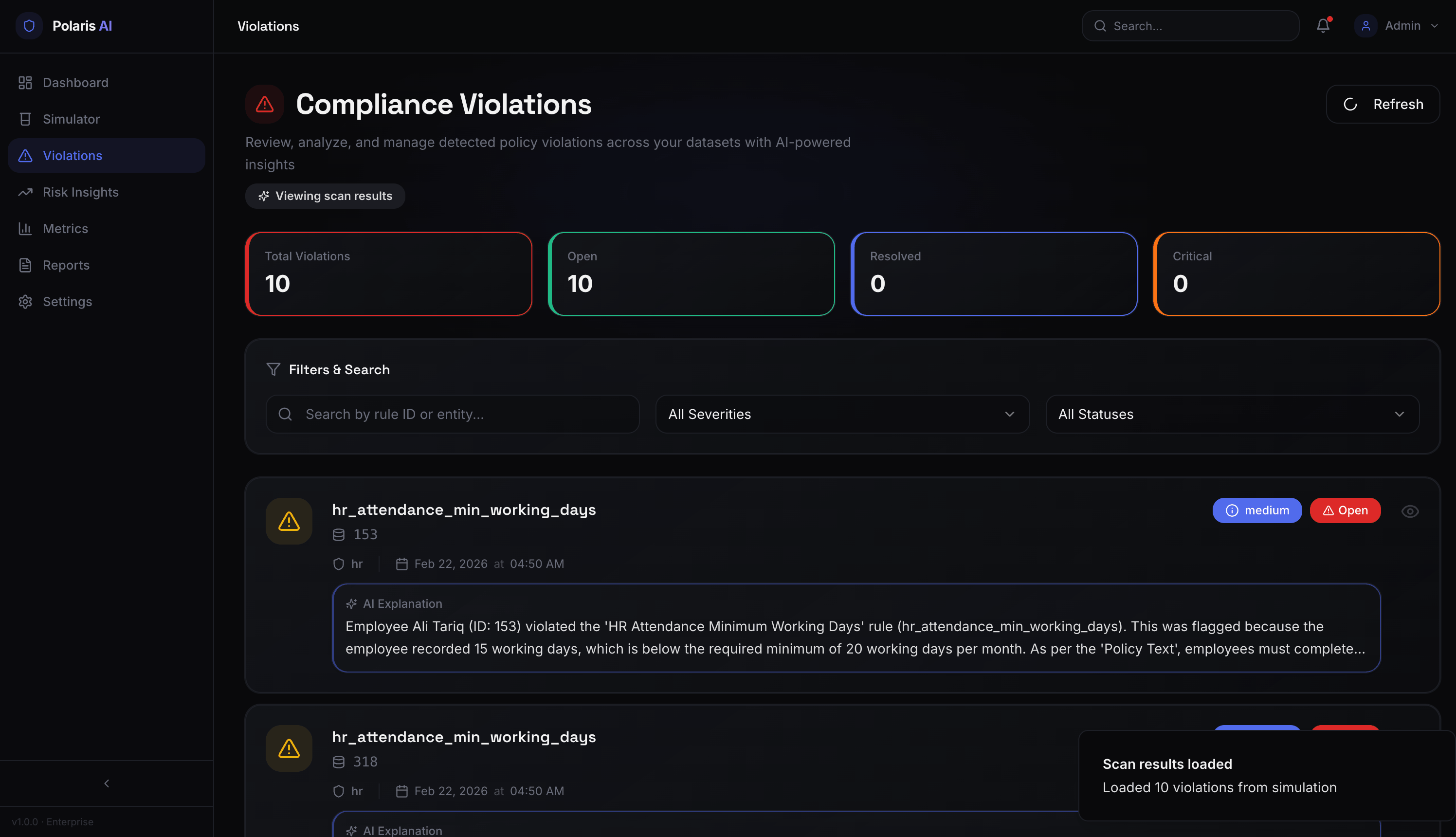
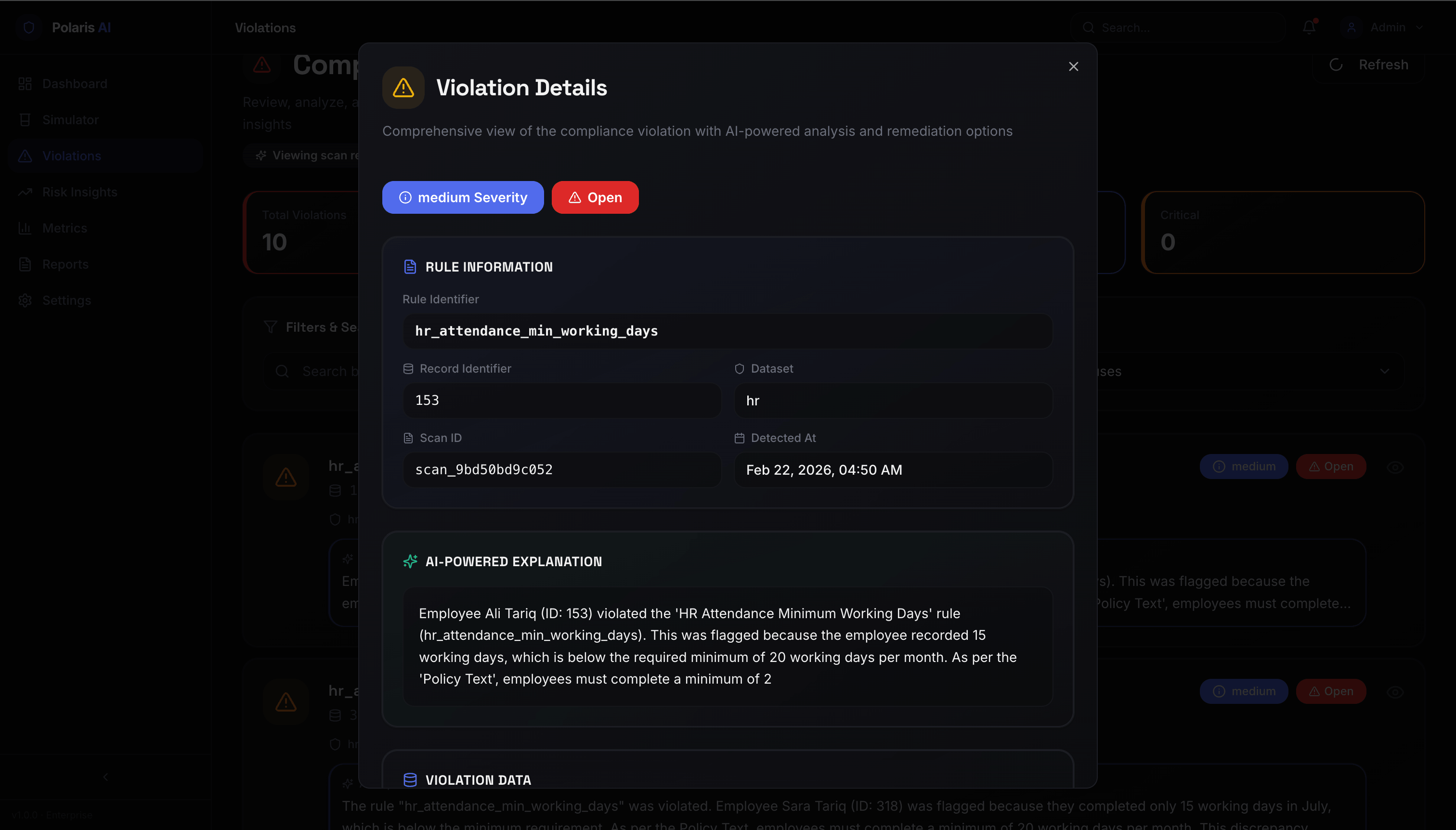
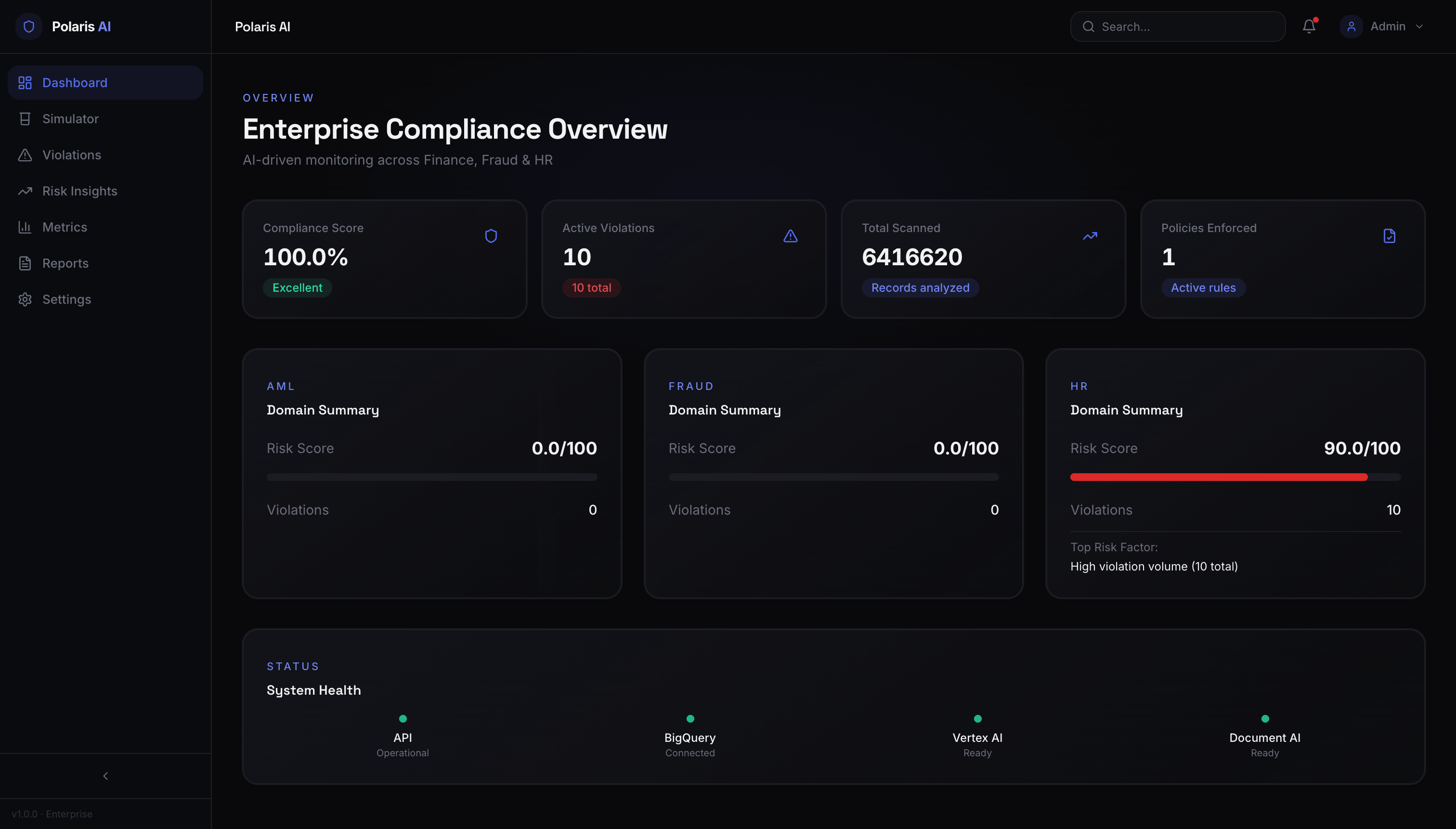
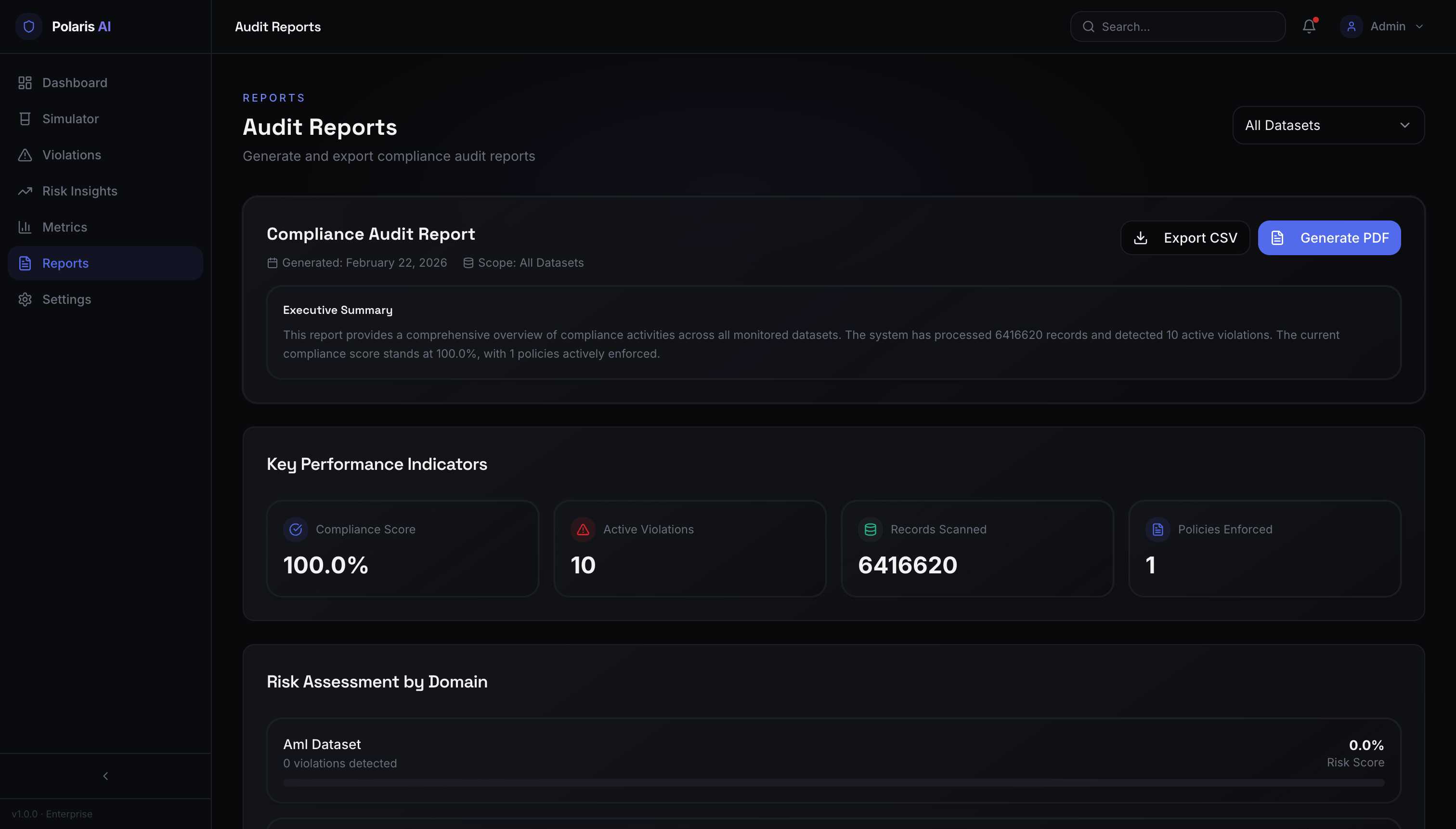
Link to open source: https://github.com/kyarot/PolarisAI.git
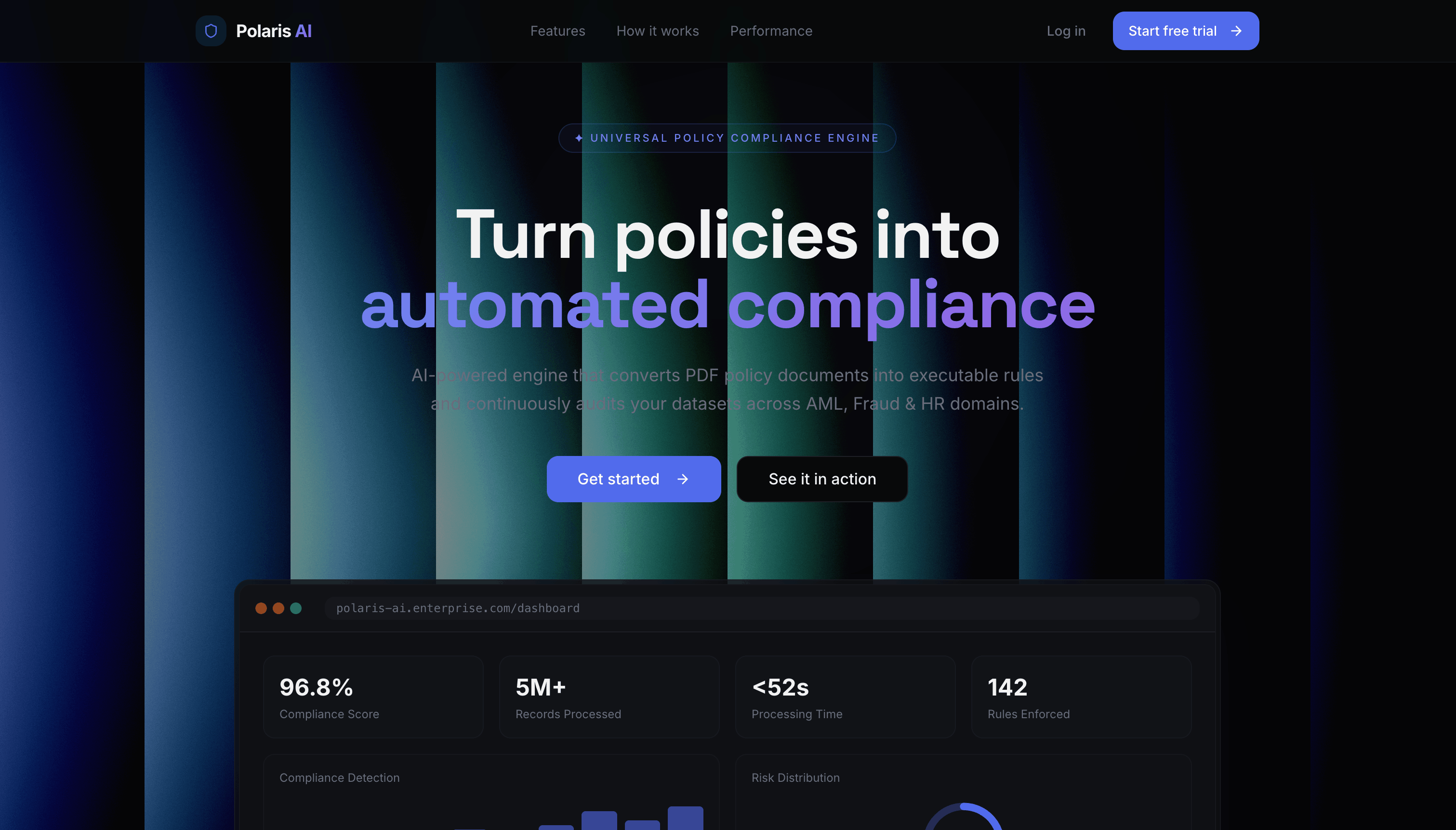
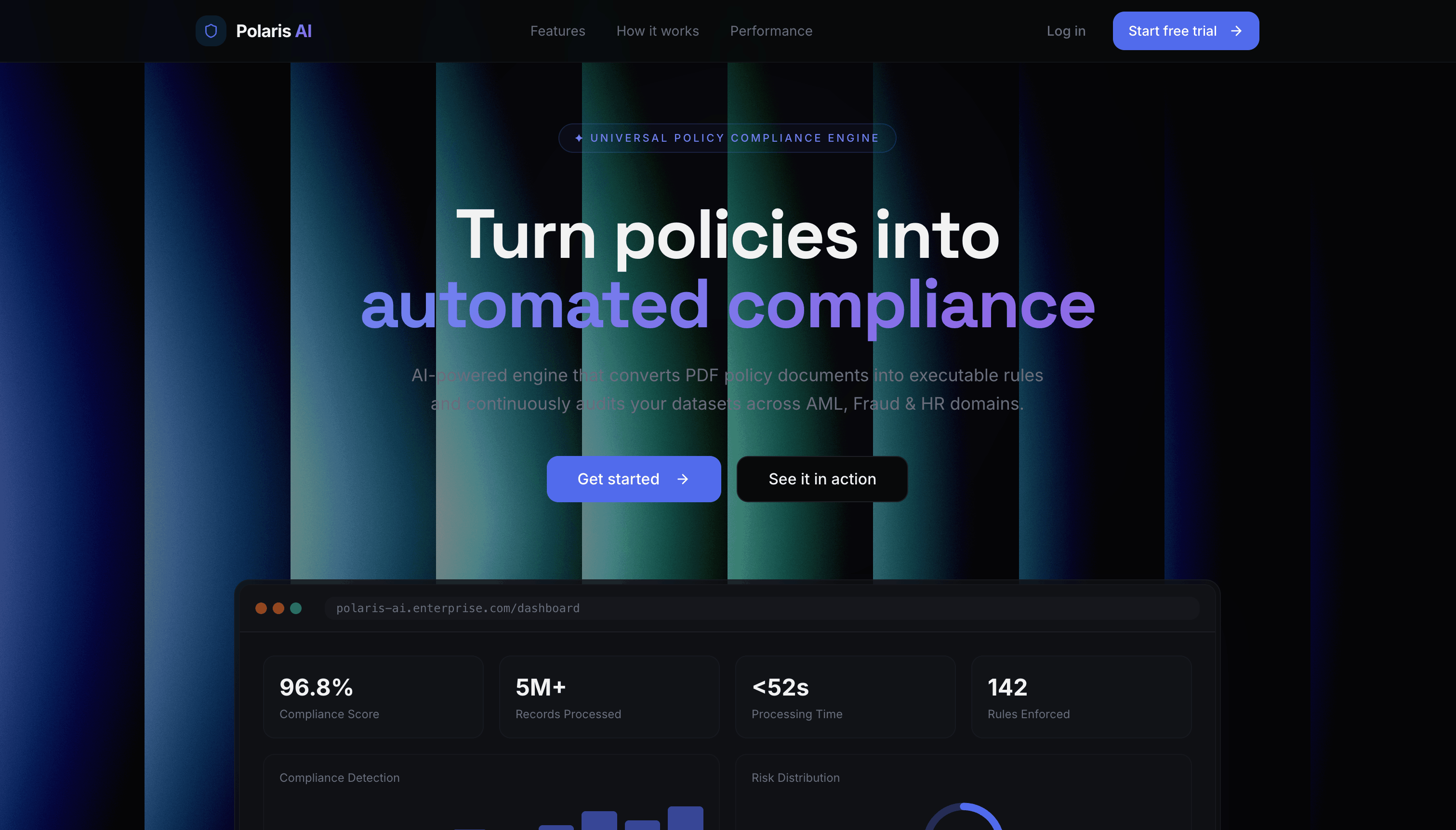
Transform policy documents into automated enforcement rules using advanced AI
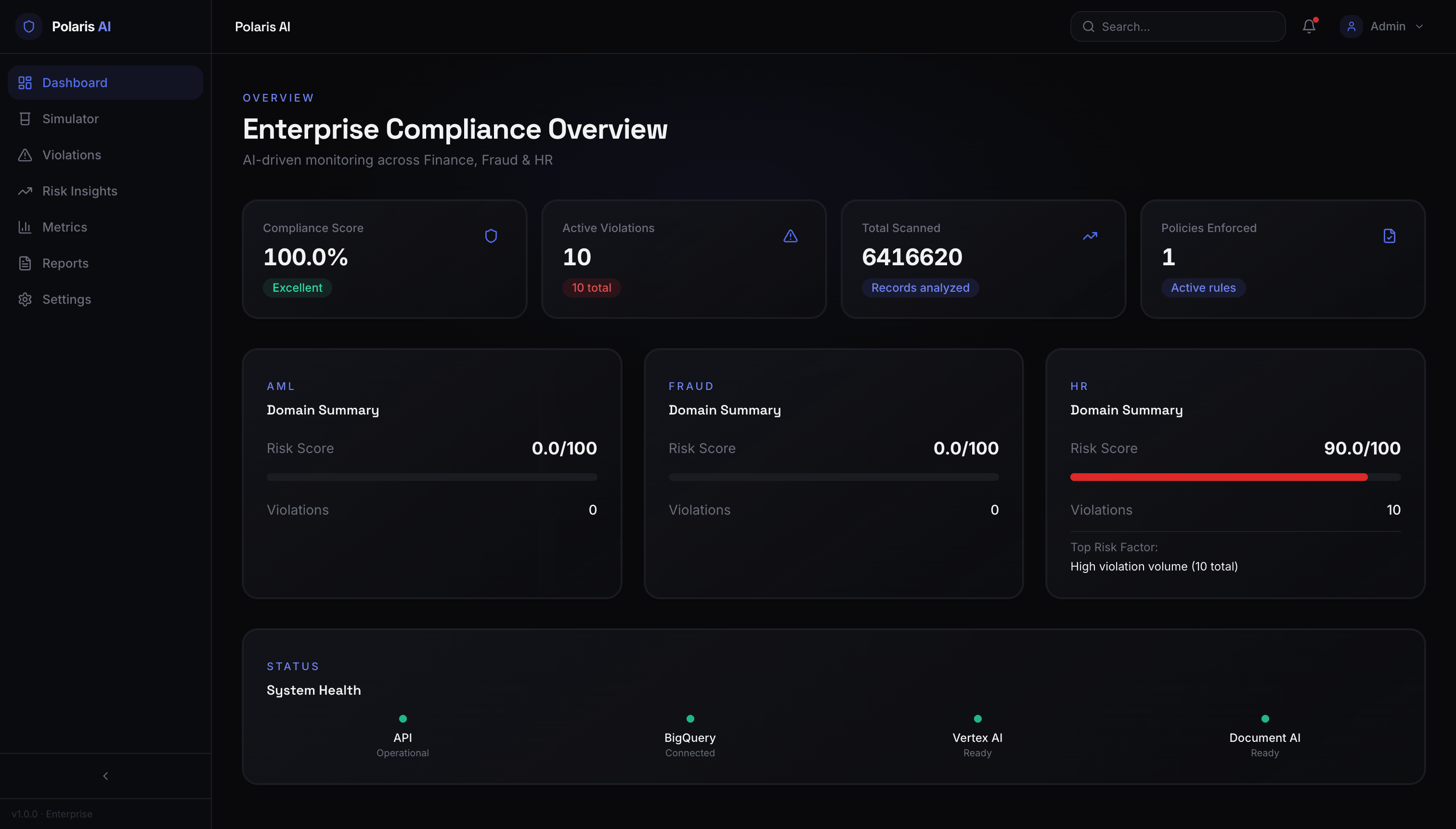
A next-generation compliance platform that transforms policy documents into automated enforcement rules using advanced AI. Polaris AI eliminates manual compliance monitoring by intelligently scanning millions of transactions across financial, fraud, and HR datasets, detecting violations with 95%+ accuracy, and providing actionable risk insights.
The platform features natural language policy interpretation, real-time violation detection, entity-level risk scoring, and comprehensive performance metrics—empowering organizations to maintain regulatory compliance at scale while reducing operational overhead.
- 📄 AI-Powered Policy Extraction - Automatically converts policy documents into executable compliance rules using Google Document AI
- 🤖 Intelligent Rule Generation - Leverages Vertex AI (Gemini 2.5 Flash) for natural language to SQL rule translation
- 🔍 Real-Time Violation Detection - Scans 6.4M+ records across BigQuery datasets with precision analytics
- ⚡ Advanced Risk Scoring - Entity-level risk profiling with severity classification and explanation generation
- 📊 Performance Metrics - Precision, recall, F1 scores, confusion matrix, and compliance rate tracking
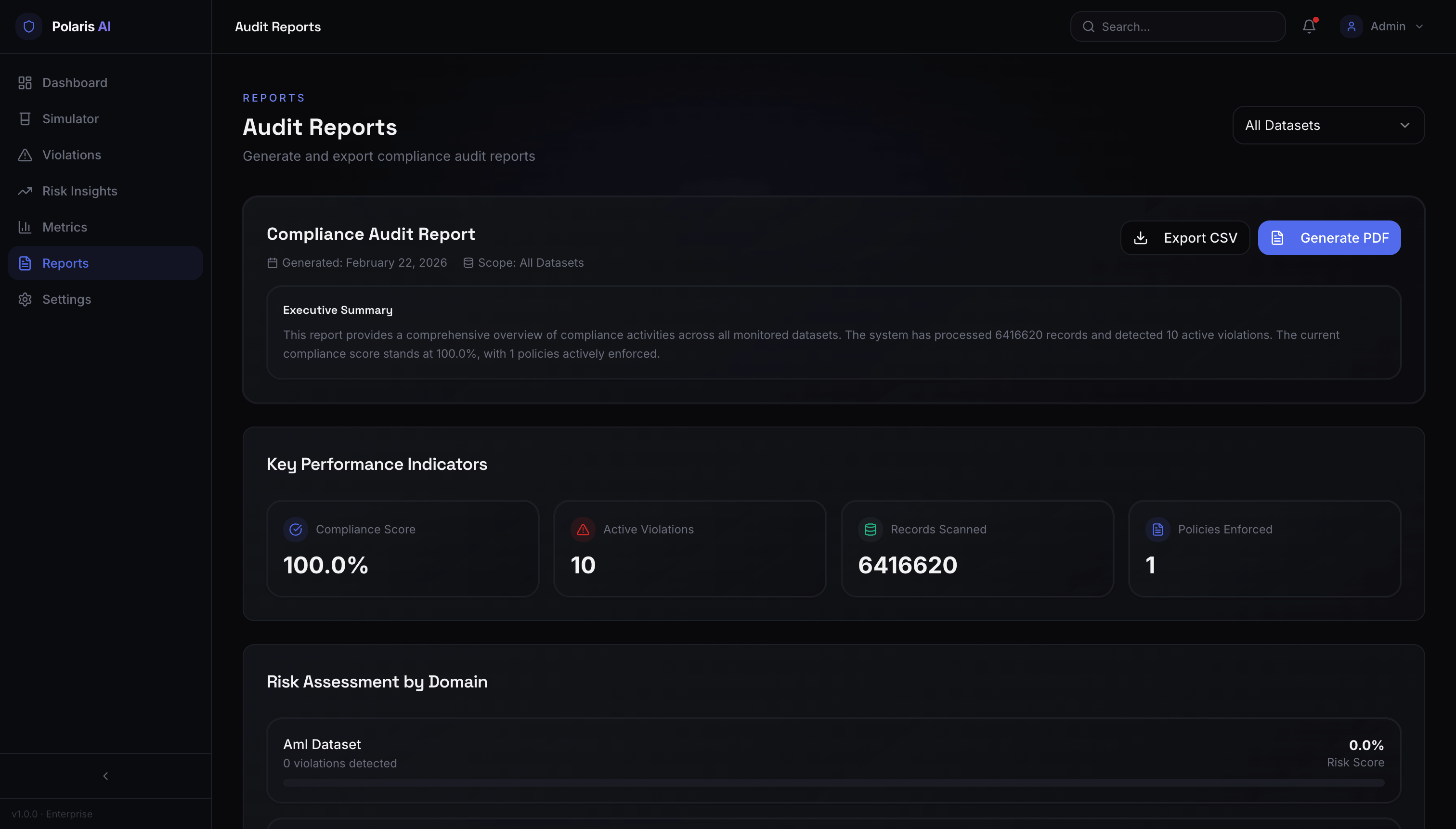
- 🎯 Interactive Dashboards - Real-time visualization with violation tracking and audit reporting
Supports AML (Anti-Money Laundering), Fraud Detection, and HR Compliance domains with enterprise-grade scalability.
- Upload PDF policy documents
- AI extracts text using Google Document AI
- Vertex AI Gemini generates executable SQL-based compliance rules
- Validates rules against BigQuery schema automatically
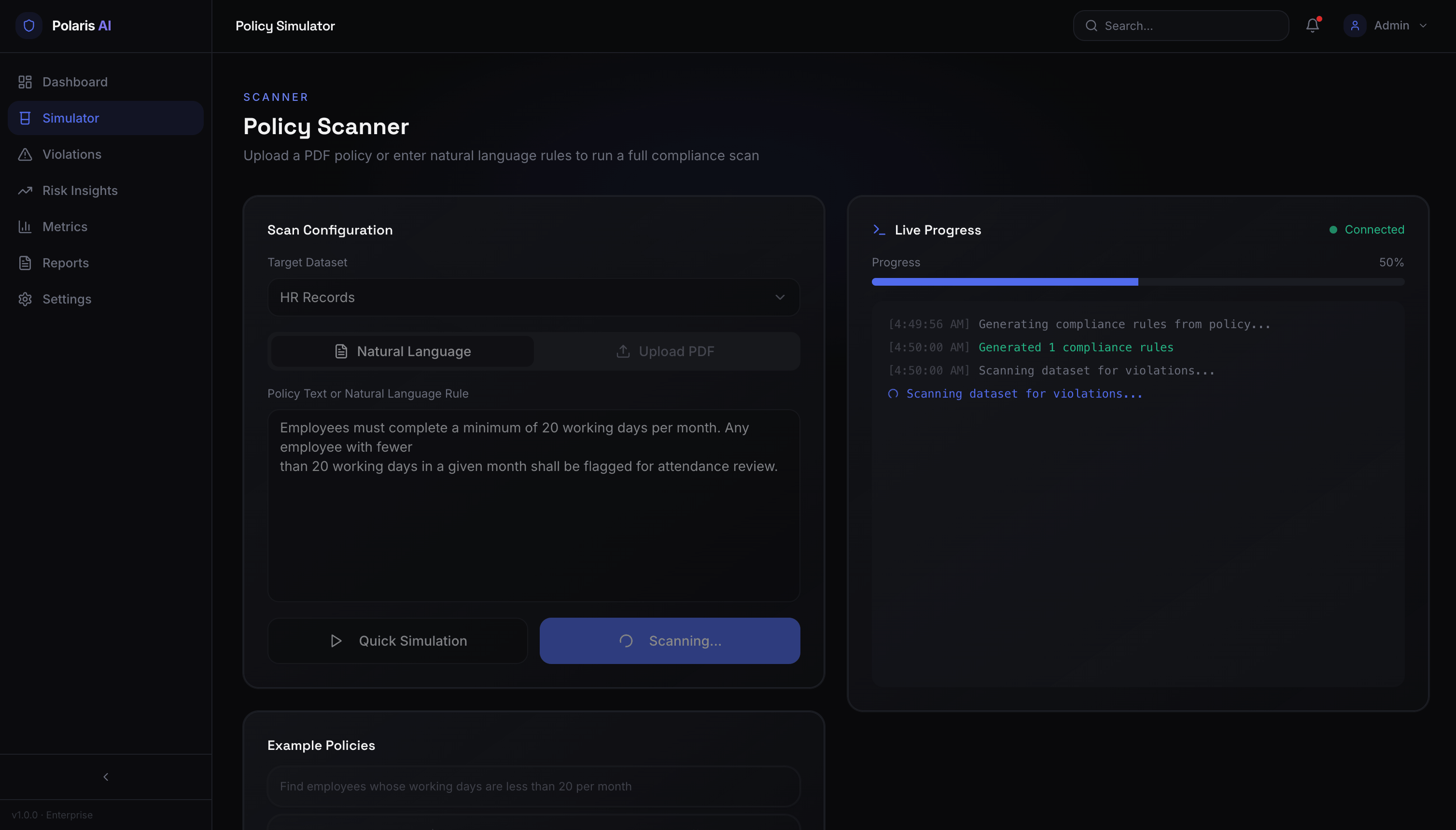
- Execute compliance scans across multiple datasets
- Server-Sent Events (SSE) for live progress tracking
- BigQuery integration for high-performance data analysis
- Configurable violation limits for cost optimization
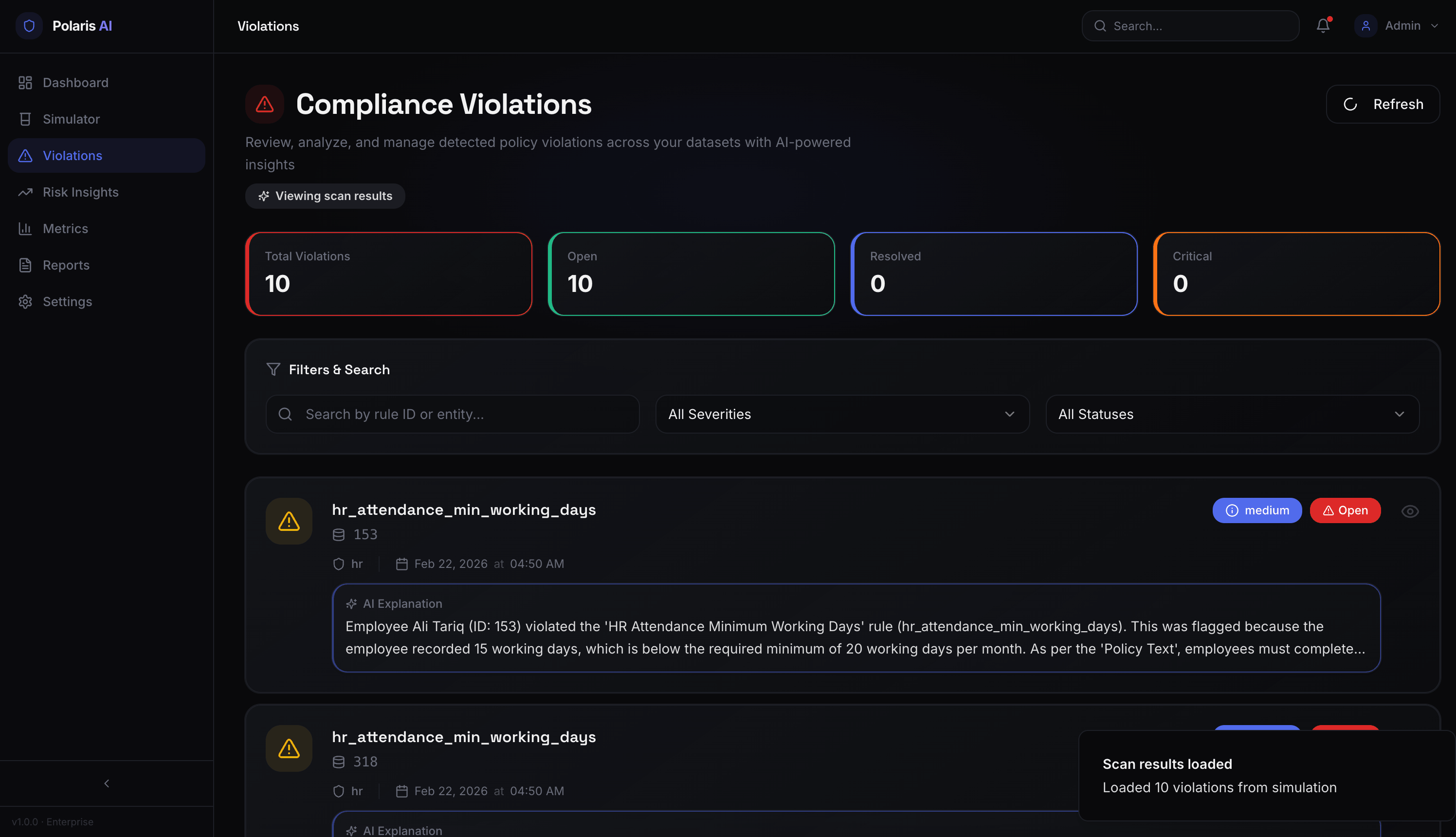
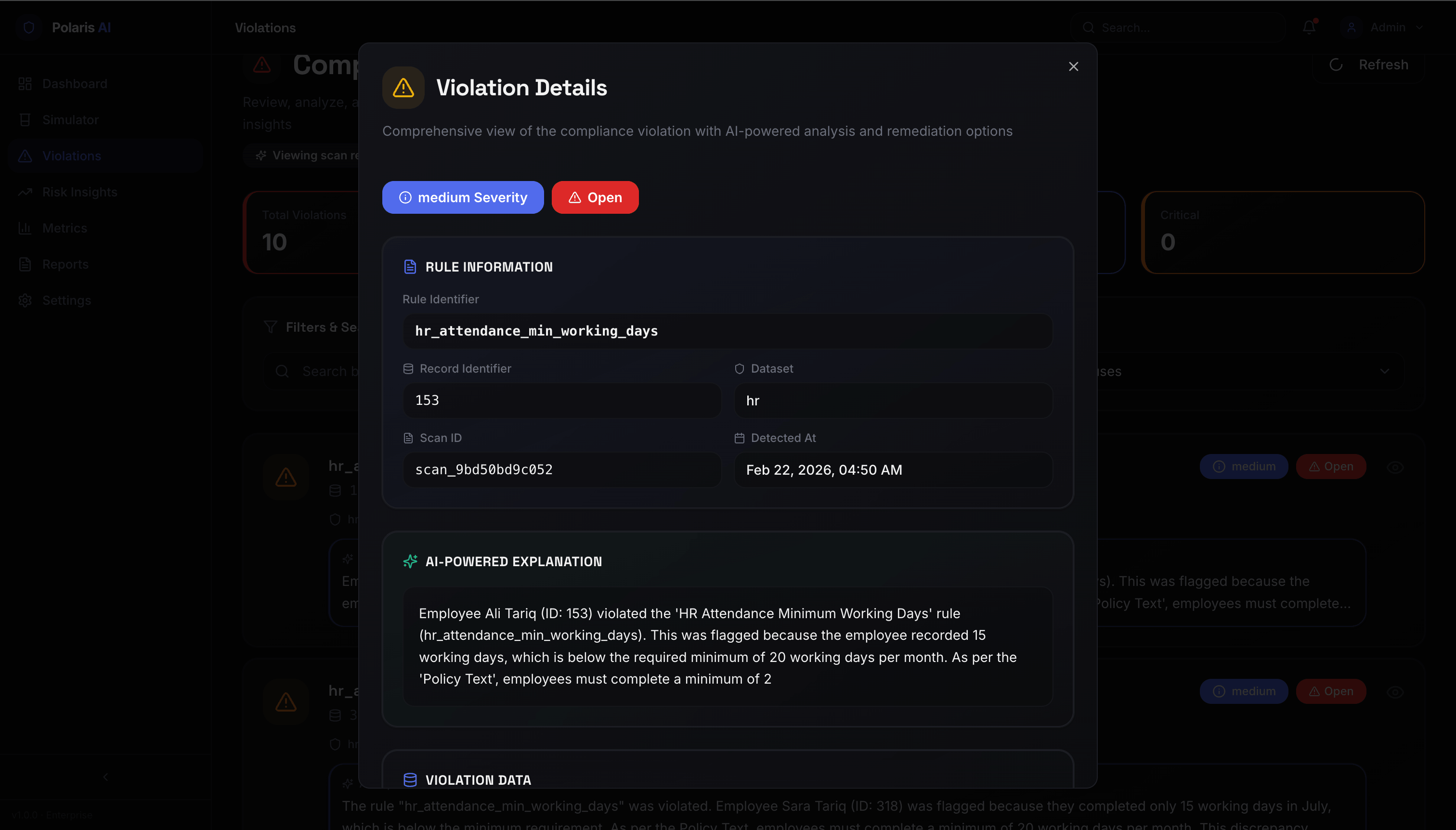
- Detect policy violations with context-aware AI explanations
- Severity classification (Critical, High, Medium, Low)
- Filter by dataset, status, severity
- Mark violations as resolved with audit trail
- Precision, Recall, F1 Score calculations
- Compliance score tracking
- Confusion matrix visualization
- Dataset-specific performance metrics
- Entity-level risk scoring
- Behavioral pattern analysis
- Network graph visualizations
- Anomaly detection
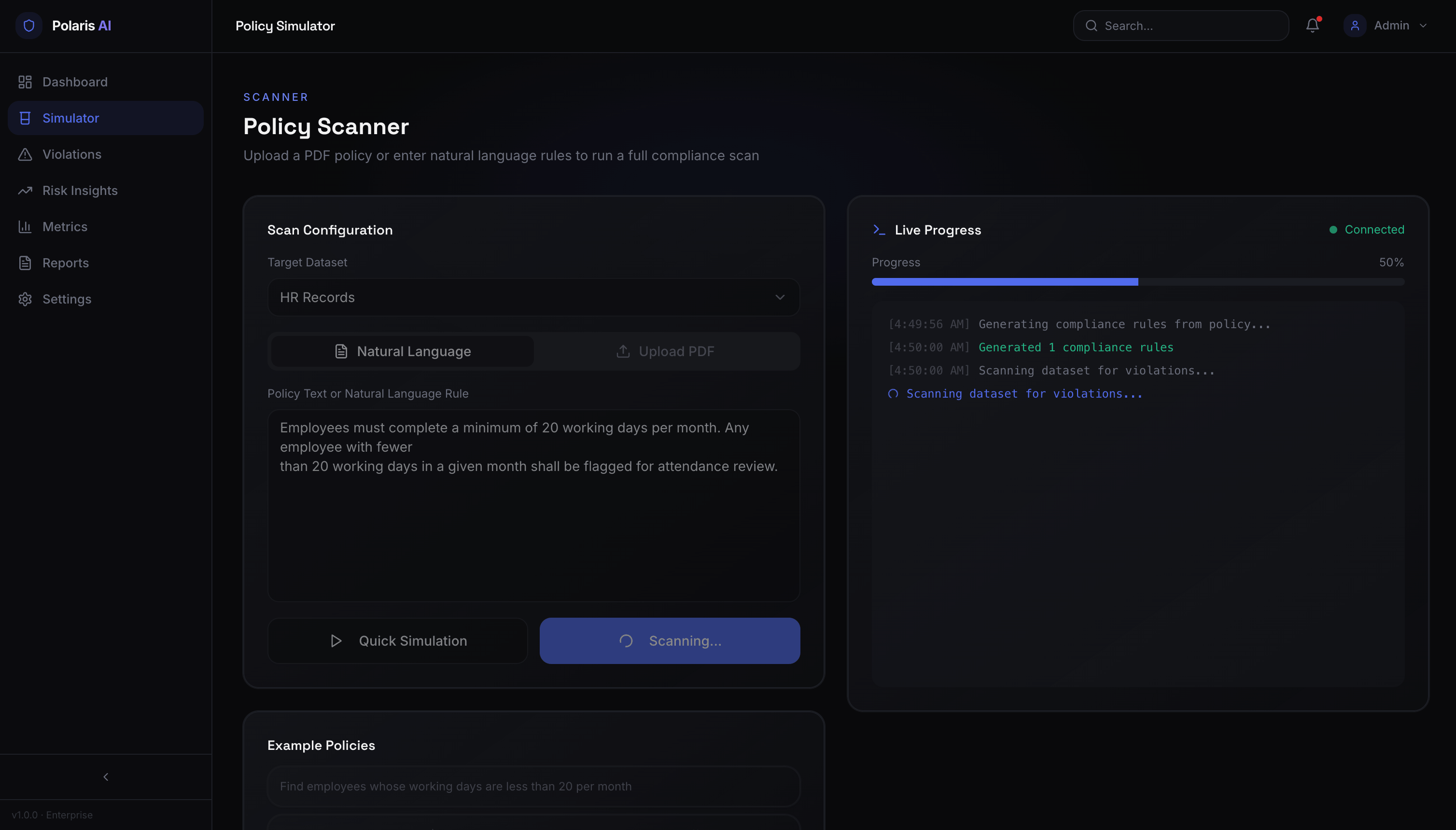
- Test compliance rules before deployment
- Sandbox environment for rule validation
- Compare different rule configurations
- Validate SQL condition logic
┌─────────────────────────────────────────────────────────────┐
│                     Frontend (React + TypeScript)            │
│  ┌──────────┐  ┌──────────┐  ┌──────────┐  ┌──────────┐   │
│  │Dashboard │  │Violations│  │ Metrics  │  │Simulator │   │
│  └──────────┘  └──────────┘  └──────────┘  └──────────┘   │
│         │              │              │              │       │
│         └──────────────┴──────────────┴──────────────┘       │
│                         │                                    │
│                    Axios API Client                          │
│                         │                                    │
└─────────────────────────┼────────────────────────────────────┘
                          │ REST API + SSE
┌─────────────────────────┼────────────────────────────────────┐
│                    Backend (FastAPI)                         │
│  ┌──────────────────────┴────────────────────────┐          │
│  │              Route Handlers                     │          │
│  │  /scan  /violations  /metrics  /simulator      │          │
│  └────────────┬─────────────┬─────────────┬───────┘          │
│               │             │             │                  │
│  ┌────────────▼─────┐ ┌─────▼──────┐ ┌───▼────────┐        │
│  │  Rule Engine     │ │ Validation │ │ Risk Engine│        │
│  │  (SQL Generation)│ │   Engine   │ │            │        │
│  └────────────┬─────┘ └─────┬──────┘ └───┬────────┘        │
│               │             │             │                  │
└───────────────┼─────────────┼─────────────┼──────────────────┘
                │             │             │
┌───────────────┼─────────────┼─────────────┼──────────────────┐
│                    Google Cloud Platform                     │
│  ┌─────────────▼──┐  ┌──────▼──────┐  ┌──▼─────────┐       │
│  │   BigQuery     │  │ Document AI │  │ Vertex AI  │       │
│  │  (Data Storage)│  │(PDF Extract)│  │  (Gemini)  │       │
│  └────────────────┘  └─────────────┘  └────────────┘       │
│                                                              │
│  ┌─────────────────────────────────────────────────┐       │
│  │          Cloud Storage (Policy PDFs)            │       │
│  └─────────────────────────────────────────────────┘       │
└──────────────────────────────────────────────────────────────┘
Check you have everything installed:
# Python 3.9+ (recommended: 3.13)
python3 --version

# Node.js 18+ (or Bun)
node --version

# GCP CLI (optional, for setup)
gcloud --version
# Clone repository
git clone <your-repo-url>
cd polaris-ai-compliance

# Setup backend
cd backend
python3 -m venv venv
source venv/bin/activate  # On Windows: venv\Scripts\activate
pip install -r requirements.txt

# Setup frontend
cd ../frontend
npm install  # or: bun install
-
Create GCP Service Account with these roles:
- BigQuery Admin
- Document AI User
- Vertex AI User
- Storage Admin
-
Download JSON key and save as:
backend/gcp/service-account.json⚠️ Security Note: This file is gitignored - never commit credentials!
-
Configure environment in
backend/.env:# GCP Configuration GCP_PROJECT_ID=your-project-id GCP_LOCATION=us # Document AI region GCP_BUCKET_NAME=your-bucket-name # Vertex AI Configuration VERTEX_AI_LOCATION=us-central1 VERTEX_AI_MODEL=gemini-2.0-flash-exp # Document AI DOCUMENT_AI_PROCESSOR_ID=your-processor-id # BigQuery Datasets BIGQUERY_DATASET_AML=aml_dataset BIGQUERY_DATASET_FRAUD=fraud_dataset BIGQUERY_DATASET_HR=hr_dataset
Terminal 1 - Backend:
cd backend
source venv/bin/activate
python -m uvicorn main:app --reload --port 8000
Terminal 2 - Frontend:
cd frontend
npm run dev  # or: bun run dev
- Frontend: http://localhost:5173
- Backend API: http://localhost:8000
- API Docs: http://localhost:8000/docs
- QUICK_START.md - Get running in 5 minutes with step-by-step guide
- SETUP_GUIDE.md - Complete setup instructions including GCP configuration
- TESTING_GUIDE.md - Comprehensive testing instructions
- REFACTORING_SUMMARY.md - Complete change log and architecture details
polaris-ai-compliance/
├── backend/
│   ├── main.py                    # FastAPI application entry
│   ├── config.py                  # Configuration management
│   ├── logger.py                  # Centralized logging
│   ├── requirements.txt           # Python dependencies
│   ├── .env                       # Environment variables (not in git)
│   │
│   ├── gcp/
│   │   └── service-account.json   # GCP credentials (gitignored)
│   │
│   ├── models/
│   │   ├── __init__.py
│   │   └── rule_model.py          # Pydantic data models
│   │
│   ├── routes/
│   │   ├── __init__.py
│   │   ├── scan_routes.py         # Compliance scan endpoints
│   │   ├── violations_routes.py   # Violation management
│   │   ├── metrics_routes.py      # Analytics endpoints
│   │   ├── policy_routes.py       # Policy upload/management
│   │   └── simulator_routes.py    # Policy testing
│   │
│   └── services/
│       ├── __init__.py
│       ├── bigquery_service.py    # BigQuery integration
│       ├── document_ai_service.py # Document AI integration
│       ├── vertex_ai_service.py   # Vertex AI/Gemini integration
│       ├── gcs_service.py         # Cloud Storage operations
│       ├── rule_engine.py         # Rule execution logic
│       ├── validation_engine.py   # Metrics calculation
│       └── risk_engine.py         # Risk scoring engine
│
├── frontend/
│   ├── src/
│   │   ├── components/
│   │   │   ├── ui/                # shadcn/ui components
│   │   │   ├── StatCard.tsx       # Metric display cards
│   │   │   ├── Navbar.tsx         # Navigation bar
│   │   │   └── AppSidebar.tsx     # Sidebar navigation
│   │   │
│   │   ├── pages/
│   │   │   ├── Index.tsx          # Dashboard homepage
│   │   │   ├── UploadPolicy.tsx   # Policy upload interface
│   │   │   ├── RunScan.tsx        # Scan execution page
│   │   │   ├── Violations.tsx     # Violation management
│   │   │   ├── Metrics.tsx        # Analytics dashboard
│   │   │   ├── RiskInsights.tsx   # Risk analysis
│   │   │   ├── PolicySimulator.tsx# Rule testing
│   │   │   └── AuditReports.tsx   # Report generation
│   │   │
│   │   ├── layouts/
│   │   │   └── DashboardLayout.tsx# Main app layout
│   │   │
│   │   ├── lib/
│   │   │   ├── api.ts             # Axios API client
│   │   │   ├── utils.ts           # Helper functions
│   │   │   └── mockData.ts        # Development data
│   │   │
│   │   ├── hooks/
│   │   │   ├── use-toast.ts       # Toast notifications
│   │   │   └── use-mobile.tsx     # Mobile detection
│   │   │
│   │   ├── App.tsx                # Root component
│   │   └── main.tsx               # Entry point
│   │
│   ├── package.json
│   ├── vite.config.ts
│   ├── tailwind.config.ts
│   └── tsconfig.json
│
├── .gitignore                     # Git exclusions (includes GCP credentials)
├── README.md                      # This file
├── QUICK_START.md                 # Quick setup guide
├── SETUP_GUIDE.md                 # Detailed setup
└── TESTING_GUIDE.md               # Testing instructions
| Technology | Purpose |
|---|---|
| React 18 | UI framework |
| TypeScript | Type safety |
| Vite | Build tool & dev server |
| TanStack Query | Server state management |
| Tailwind CSS | Utility-first styling |
| shadcn/ui | Component library |
| Framer Motion | Animations |
| React Router | Client-side routing |
| Recharts | Data visualization |
| Axios | HTTP client |
| Technology | Purpose |
|---|---|
| FastAPI | Web framework |
| Python 3.13 | Language runtime |
| Uvicorn | ASGI server |
| Pydantic | Data validation |
| AsyncIO | Async processing |
| Service | Purpose |
|---|---|
| BigQuery | Data warehouse & SQL execution |
| Document AI | PDF text extraction |
| Vertex AI (Gemini) | Rule generation & explanations |
| Cloud Storage | Policy document storage |
# Development
python -m uvicorn main:app --reload --port 8000

# Production
python -m uvicorn main:app --host 0.0.0.0 --port 8000

# With specific config
python -m uvicorn main:app --reload --port 8000 --log-level debug

# Run tests (if available)
pytest

# Clear cache
find . -type d -name __pycache__ -exec rm -rf {} +
# Development server
npm run dev          # Starts on http://localhost:5173

# Build for production
npm run build        # Output to dist/

# Preview production build
npm run preview

# Run tests
npm run test

# Lint code
npm run lint
Create backend/.env with the following:
# Application
APP_NAME=Polaris AI Compliance API
APP_VERSION=1.0.0
DEBUG=True
HOST=0.0.0.0
PORT=8000

# CORS
CORS_ORIGINS=["http://localhost:5173","http://localhost:8000"]

# GCP Project
GCP_PROJECT_ID=your-project-id
GCP_LOCATION=us
GCP_BUCKET_NAME=your-compliance-bucket

# Vertex AI (Gemini)
VERTEX_AI_LOCATION=us-central1
VERTEX_AI_MODEL=gemini-2.0-flash-exp

# Document AI
DOCUMENT_AI_PROCESSOR_ID=your-processor-id

# BigQuery
BIGQUERY_DATASET_AML=aml_dataset
BIGQUERY_DATASET_FRAUD=fraud_dataset
BIGQUERY_DATASET_HR=hr_dataset

# Performance
VIOLATION_LIMIT=10  # Violations per rule
The frontend automatically connects to http://localhost:8000 for API calls. To change this, modify frontend/src/lib/api.ts:
const api = axios.create({
  baseURL: 'http://localhost:8000',
  timeout: 30000,
});
GET  /                           API health check
GET  /health                     Health status

POST /api/policy/upload          Upload policy PDF
GET  /api/policy/rules           List all rules

POST /api/scan/run               Execute compliance scan
GET  /api/scan/stream/progress   SSE progress updates

GET  /api/violations/list        Get violations with filters
GET  /api/violations/{id}        Get violation details
POST /api/violations/{id}/explain Generate AI explanation
PUT  /api/violations/{id}/resolve Mark violation as resolved

GET  /api/metrics/dashboard      Dashboard metrics
GET  /api/metrics/dataset/{type} Dataset-specific metrics

POST /api/simulator/simulate     Test compliance rule
POST /api/simulator/compare      Compare rule configurations
POST /api/simulator/validate     Validate SQL condition
Full API Documentation: http://localhost:8000/docs (Swagger UI)
# Via UI: Navigate to /upload-policy
# Or via API:
curl -X POST http://localhost:8000/api/policy/upload \
  -F "file=@policy.pdf"
What happens:
- File uploads to Cloud Storage
- Document AI extracts text
- Vertex AI Gemini generates rules
- Rules validated against BigQuery schema
- Rules stored in memory for scanning
# Via UI: Navigate to /scan, select dataset
# Or via API:
curl -X POST http://localhost:8000/api/scan/run \
  -H "Content-Type: application/json" \
  -d '{"dataset": "hr"}'
What happens:
- Fetches rules for selected domain
- Generates SQL queries from rules
- Executes queries on BigQuery
- Detects violations (limit: 10 per rule)
- Calculates compliance metrics
- Streams real-time progress via SSE
Navigate to /violations to:
- Filter by dataset, severity, status
- Search by record identifier or rule ID
- Generate AI explanations for violations
- Resolve violations with audit trail
- Export violation data
Navigate to /metrics to view:
- Precision, Recall, F1 Score
- Compliance score (percentage)
- Confusion matrix
- Dataset comparisons
- Historical trends
- Start both servers (backend + frontend)
- Upload test policy: Use
Employee_Performance_Compliance_Policy.pdfor any PDF - Wait for processing: Should show "8 rules validated" (or similar)
- Run scan: Select "HR" dataset, click "Run Compliance Scan"
- Watch progress: Real-time SSE updates (4 steps)
- View violations: Navigate to Violations page
- Generate explanation: Click "Generate Explanation" on any violation
- Check metrics: Navigate to Metrics page
✅ Policy upload shows 100% progress
✅ Rules validated with 0 errors
✅ Scan completes without 500 errors
✅ Violations display correctly
✅ Metrics show calculated values
✅ No CORS errors in browser console
✅ SSE connection shows in Network tab
For comprehensive testing instructions, see TESTING_GUIDE.md
Port already in use:
lsof -i :8000
kill -9 <PID>
Module import errors:
source venv/bin/activate
pip install -r requirements.txt
GCP authentication errors:
# Verify credentials exist
ls backend/gcp/service-account.json

# Check environment variable (optional)
export GOOGLE_APPLICATION_CREDENTIALS="$PWD/backend/gcp/service-account.json"
BigQuery errors:
- Verify datasets exist:
aml_dataset,fraud_dataset,hr_dataset - Check service account has BigQuery Admin role
- Verify table names match configuration
Blank page:
- Check browser console for errors (F12)
- Verify backend is running on port 8000
- Check CORS configuration in backend
API errors:
- Verify backend is accessible:
curl http://localhost:8000/health - Check Network tab in DevTools for error details
- Look for 422 validation errors (parameter mismatches)
SSE disconnects:
- System automatically falls back to polling
- Check backend logs for errors
- Verify EventSource supported in browser
| Problem | Solution |
|---|---|
Failed to load resource: 500 |
Check backend logs, verify GCP credentials |
422 Unprocessable Content |
Check API request parameters match backend model |
CORS errors |
Verify backend CORS_ORIGINS includes frontend URL |
Module not found |
Run pip install -r requirements.txt |
Connection refused |
Ensure backend running on correct port |
✅ GCP credentials are gitignored:
service-account.jsonexcluded from git- Never commit credentials to repository
- Use environment-specific credentials
- Never commit
backend/gcp/service-account.json - Rotate credentials regularly
- Use minimal permissions for service accounts
- Enable audit logging in GCP
- Review access patterns in Cloud Console
# Check if credentials are ignored
git check-ignore backend/gcp/service-account.json
# Should output: backend/gcp/service-account.json

# Verify not in git history
git ls-files | grep service-account.json
# Should output nothing
- Violations limited to 10 per rule (from 1000) for faster processing
- Async operations with FastAPI background tasks
- SSE streaming for real-time progress without polling overhead
- In-memory rule storage for quick access
- BigQuery optimization with parameterized queries
For production:
- Increase
VIOLATION_LIMITbased on requirements - Enable caching for repeated scans
- Use BigQuery slots for guaranteed capacity
- Implement rate limiting for Vertex AI calls
- Type Safety: TypeScript in frontend, Pydantic in backend
- Error Handling: Comprehensive try-catch with detailed logging
- API Patterns: Consistent APIResponse wrapper for all endpoints
- Data Models: Strict schema validation on both ends
- ✅ Full refactoring (3,740+ lines across 21 files)
- ✅ Removed all mock data, integrated real GCP services
- ✅ Fixed API parameter mismatches (domain → dataset)
- ✅ Updated data models for consistency
- ✅ Optimized violation detection (10 per rule)
- ✅ Enhanced error handling and validation
- ✅ Secured GCP credentials in gitignore
- Set
DEBUG=Falsein backend/.env - Configure production CORS origins
- Use production GCP project
- Enable Cloud Logging
- Set up Cloud Monitoring alerts
- Configure Cloud Load Balancing
- Use Cloud Run or GKE for backend
- Deploy frontend to Firebase Hosting or Cloud Storage + CDN
- Set up Cloud Armor for DDoS protection
- Enable Cloud IAP for access control
For detailed deployment instructions, see REFACTORING_SUMMARY.md
Contributions welcome! Please:
- Fork the repository
- Create a feature branch (
git checkout -b feature/amazing-feature) - Commit changes (
git commit -m 'Add amazing feature') - Push to branch (
git push origin feature/amazing-feature) - Open a Pull Request
This build was uploaded as a hackathon project


.jpeg "Ullas Y")
