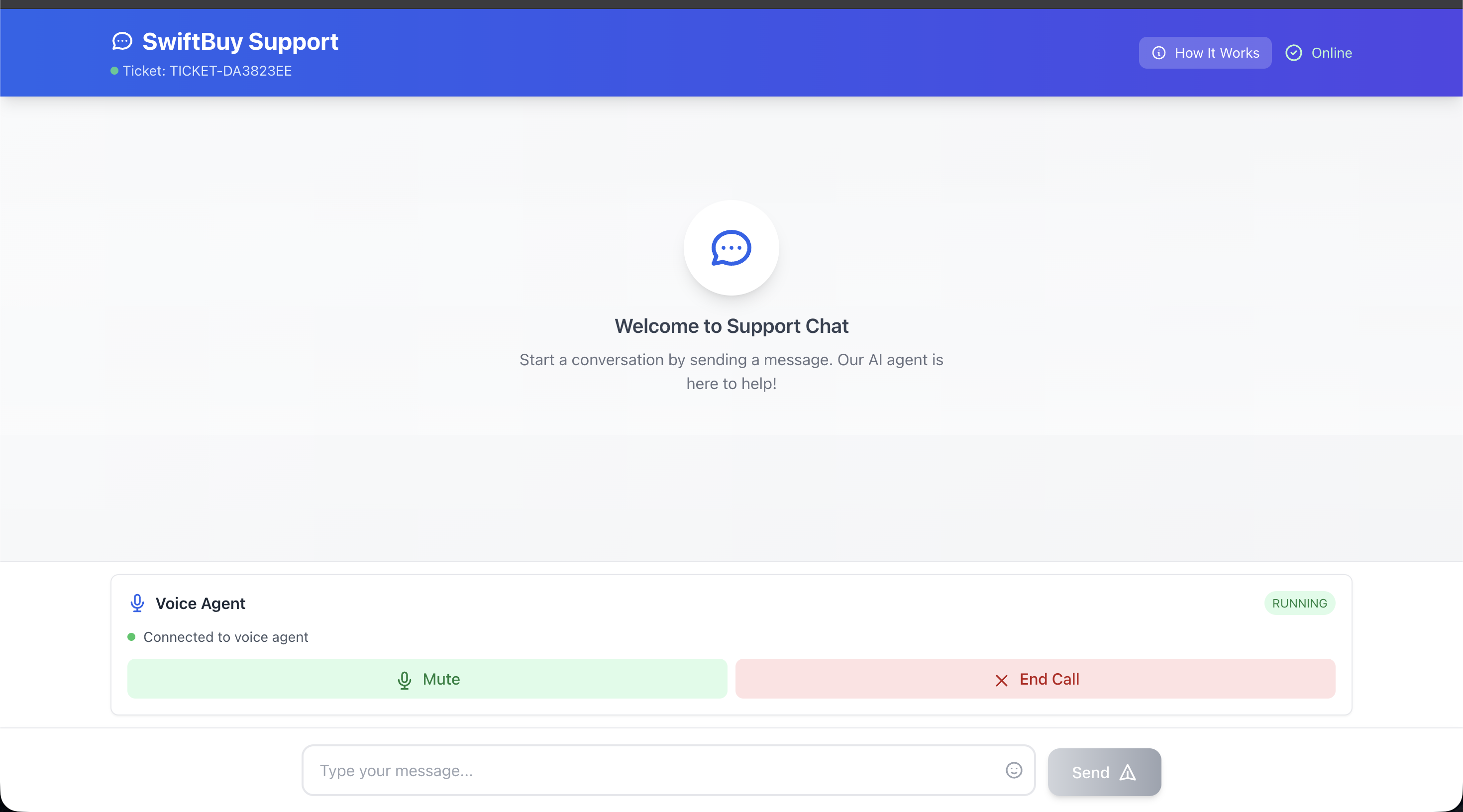
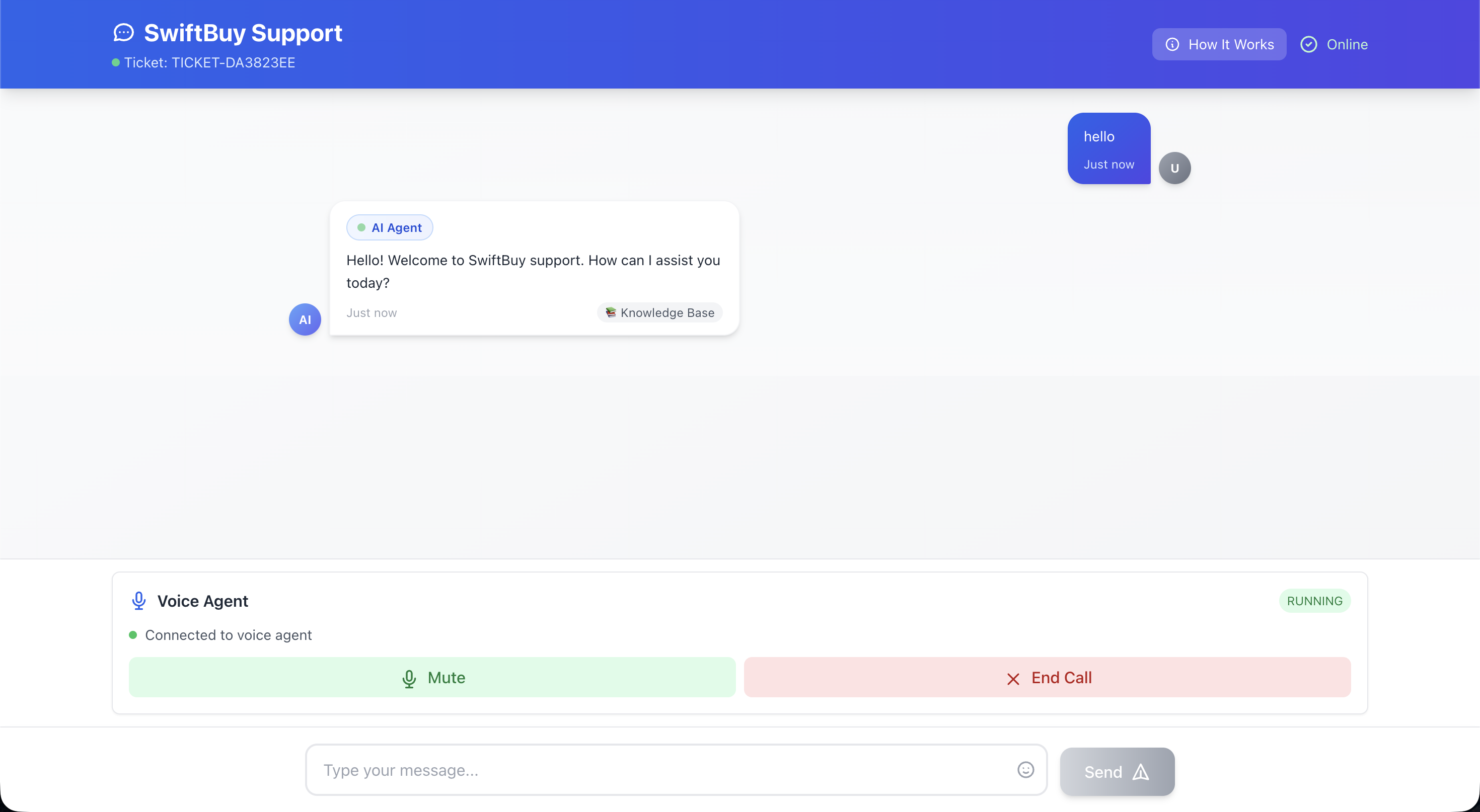
It is useful for others because it gives instant, consistent support while reducing load on human agents. The app automatically creates a ticket when the Support page loads, then accepts user messages and returns AI replies — so end users get immediate answers and support teams get structured tickets and transcripts for audit or handover. (This is the POST /api/session/start → POST /api/messages → GET /api/messages/:ticketId flow in the repo.) GitHub
Quick examples (requests and typical responses)
# Start a support session (creates ticket)
POST /api/session/start
Content-Type: application/json

# Response (example)
{
  "success": true,
  "ticketId": "TICKET-ABC123",
  "message": "Session started successfully"
}
# Send a user message and receive AI reply
POST /api/messages
Content-Type: application/json

{
  "ticketId": "TICKET-ABC123",
  "text": "Hello, I need help"
}

# Server response (example)
{
  "success": true,
  "message": {
    "_id": "...",
    "text": "Hello! How can I help you today?",
    "sender": "agent",
    "timestamp": "2024-01-01T12:00:00.000Z",
    "intent": "greeting"
  }
}
These snippets show the small contract between client and server that makes automation, logging, and integration simple for other teams (CRMs, dashboards, analytics). GitHub
It is useful for teams because routine queries are handled automatically, freeing agents to take on escalations. The app keeps full message history and exposes an endpoint to fetch it, letting operations review transcripts or hand over a ticket to a human. For near-real-time UI updates the scaffold polls for new messages every 5 seconds (so both user UI and backoffice remain in sync). GitHub
Short polling example (client-side):
// simple polling loop (example; repo uses a similar 5s poll)
setInterval(async () => {
  const res = await fetch(`${API_URL}/api/messages/${ticketId}`);
  const data = await res.json();
  // update UI with data.messages
}, 5000); // every 5 seconds
It is useful for others because voice and text channels share the same ticketing and analytics pipeline — so accessibility and 24/7 coverage are simple to add. The repo includes voice agent endpoints (start/stop) that spin up an Agora Conversational AI agent and return the running agentId, channel name and status, so other teams can connect voice sessions into existing workflows. Example request format for starting a voice agent: GitHub
POST /api/voice-agent/start
Content-Type: application/json

{
  "ticketId": "TICKET-ABC123",
  "userId": "1001",
  "agentRtcUid": 0,
  "config": {
    "llm": { "params": { "model": "gpt-4" } },
    "tts": { "vendor": "microsoft", "params": { "voice_name": "en-US-JennyNeural" } }
  }
}

# Response (example):
{
  "success": true,
  "message": "Voice agent started successfully",
  "agentId": "...",
  "channelName": "swiftbuy-channel-TICKET-ABC123-abc123",
  "status": "RUNNING"
}
Operationally, it’s easy to deploy and secure (DB URI, Agora keys, LLM/TTS config in .env), so other teams can run it locally or in cloud and reuse the same endpoints to integrate with their tools. Example .env variables in your README: MONGODB_URI, AGORA_APP_ID, AGORA_REST_API_KEY, AGORA_LLM_PROVIDER, ELEVENLABS_API_KEY, etc.


