Web Scraping With Streamlit Application
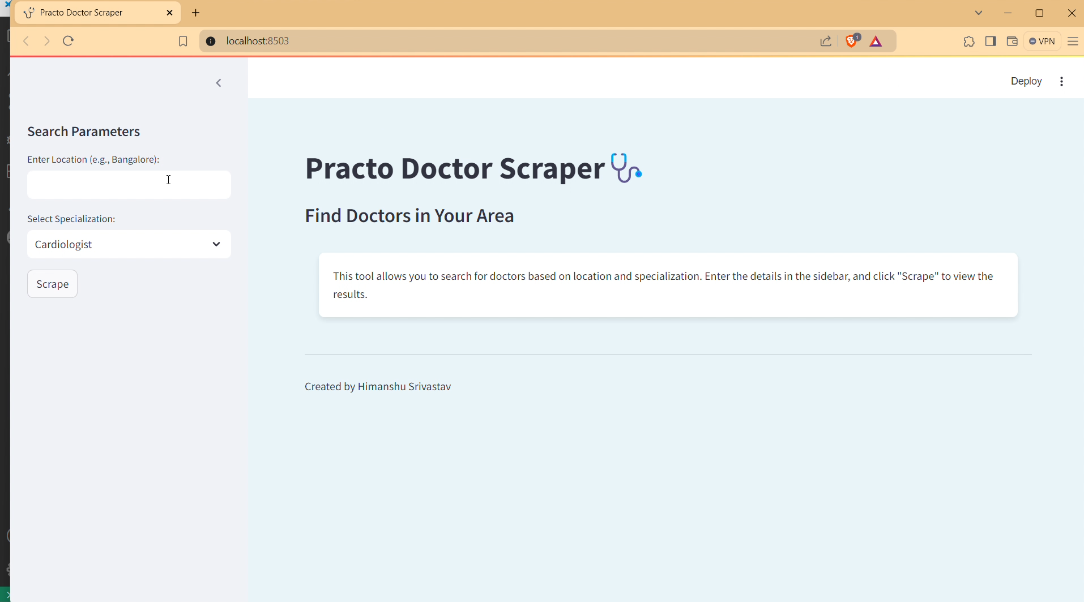
Link to open source: https://github.com/himanshuSrivastav-ds/Data-Science--Web-Scraping-using-Streamlit/blob/main/practo_scraper.py
Link to Live Project: https://data-science--web-scraping-using-app-6o5aocqjdodfhhnvgg7xnt.streamlit.app/
Project Description:
This project is a web scraping application developed using Streamlit and Python. The application scrapes doctor profiles from Practo.com based on user-provided location and specialization. It extracts information such as doctor's name, specialization, experience, clinic name, practice locality and consultation fees. The results are displayed in a user-friendly format within the Streamlit app.
Usage:
1) Open the Application: After running the command above, your default web browser should automatically open and display the Streamlit app. If not, you can access it at https://data-science--web-scraping-using-app-6o5aocqjdodfhhnvgg7xnt.streamlit.app/ in your web browser.
2) Input Location and Specialization:In the sidebar, enter the location (e.g., Bangalore) in the text input field.
3) Select the specialization from the dropdown list.
4) Start Scraping: Click the "Scrape" button to begin the web scraping process.
Output:
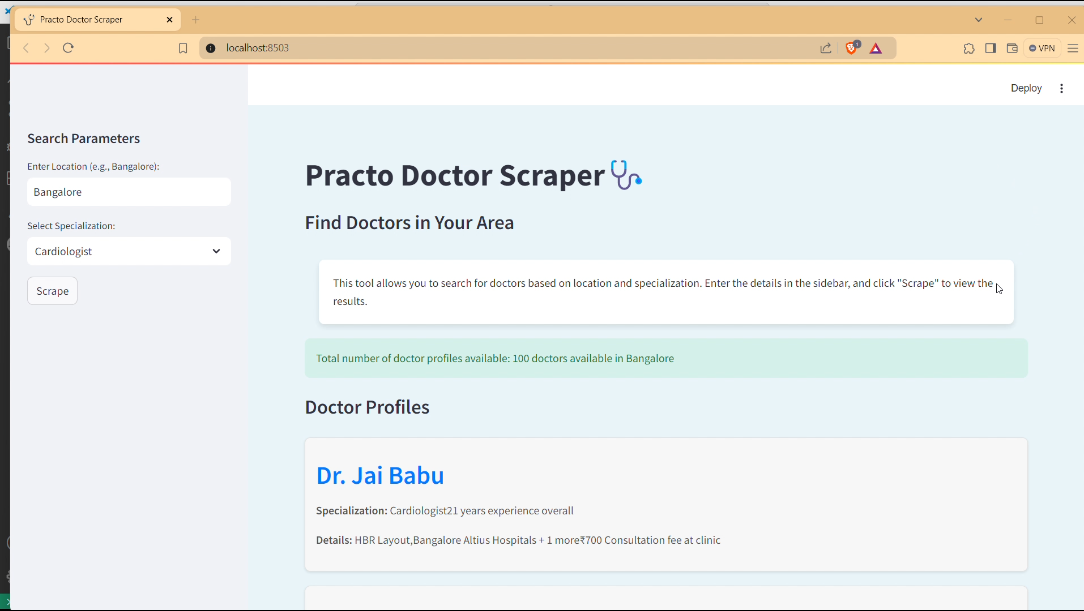
After scraping, the application will display the following:
Total Number of Doctor Profiles: A message showing the total number of doctor profiles available based on your search criteria.
Doctor Profiles: A list of doctor profiles with the following details for each doctor:
Name
Specialization
Experience
Clinic Name
Practice Locality
Consultation Fees
The results are shown in a series of "doctor cards" within the Streamlit application interface.
