
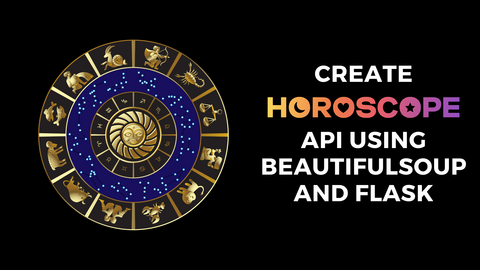
How to Create a Horoscope API with Beautiful Soup and Flask
Have you ever read your horoscope in the newspaper or seen it on television? Well, I'm not sure about other countries, but in my country of India, people still read their horoscopes. And this is where I got the idea for this tutorial. It might sound a bit old-fashioned, but the main focus here is not on the horoscope itself – it's just the vehicle for our learning. In this lab, we're going to scrape a website called Horoscope.com using Beautiful Soup and then create our own API using Flask. This API, if deployed on a public server, can then be used by other developers who would wish to create a website to show their horoscope or an app for the same.
5
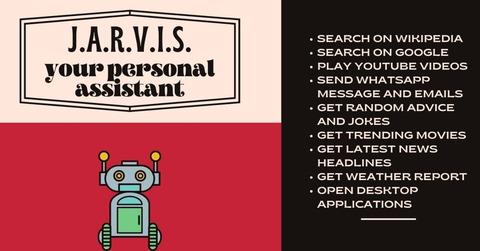
Virtual Personal Assistant Using Python
In this lab, we'll be creating a virtual personal assistant for ourselves using our favorite programming language, Python. We can perform several offline as well as online operations using the bot. Do you remember J.A.R.V.I.S., Tony Stark's virtual personal assistant? I'm sure you do! Have you ever wondered about creating your own personal assistant? Yes? Tony Stark can help us with that! Oops, did you forget he is no more? It's sad that he cannot save us anymore. But hey, your favorite language Python can help you with that. Yes, you heard it right. We can create our own J.A.R.V.I.S. using Python. Let's roll it!
7

How to create a URL Shortener using Flask?
In this lab, we will build a URL shortener, a service that takes any URL and generates a shorter, more readable version like bit.ly. For this purpose, we’re going to use Flask. The application will allow users to enter a URL and an optional custom short id and generate a shorter version. Originally posted on my blog: https://iread.ga/posts/37/url-shortener-using-flask
5
GUI Quiz Application using Tkinter and Open Trivia DB
In this lab, we'll learn to build a Graphical User Interface (GUI) Quiz Application using the Tkinter Python built-in module. The task is to ask multiple-choice questions, collect user answers and finally display the results. Before coding the GUI, we'll first see how to fetch multiple-choice questions, their correct answers, and the choices from the Open Trivia DB API. The Open Trivia Database provides a completely free JSON API for use in programming projects. Use of this API does not require an API Key. To make the task more interesting, we'll also randomize the order of choices. The following modules and concepts will be utilized in this project: tkinter module random module requests library Python Classes We'll be segregating our different functionalities into different classes and files.
3